The lb666 App, Loaded on Your Android Phone
One 28 MB file carries the whole lobby: cricket markets, slots, crash rounds, live tables and the bKash cashier. No store account, no queue. Download the APK, allow the install once, then sign in with the details you already use on lb666.co.
Version 3.7.8 · Android 6.0 and newer · Free to install · 18+ only, play responsibly.
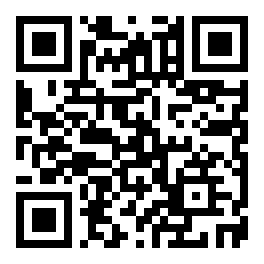
Point your camera here
Scanning opens the same APK link on the phone, so nobody has to type the address by hand.
What the lb666 App Asks For, and What It Leaves Alone
Android lists every permission on screen before the install finishes. Here is the full set for version 3.7.8, in plain words, so nothing surprises you halfway through.
Storage and cache
The app saves its own files so slot and table artwork does not download again on every spin. It keeps to its own folder and does not touch your photos, WhatsApp media or documents. You can clear that cache from Android settings whenever you like, and the app rebuilds it on the next launch.
Internet access
The lobby, the cashier and live markets all run online, so the app needs mobile data or Wi-Fi. It never asks for call logs, SMS or permission to send paid messages, which older betting APKs often did. On 3G the lobby still loads; live video tables are the part that wants a stronger line.
Notifications, optional
Off until you tap allow. Switch it on if you want a nudge when a withdrawal clears or a cricket market opens. You can turn it back off inside Android settings without touching the app, and nothing about your account changes if you keep it off.
Contacts, GPS and SMS
None of these are requested, at any point. If a file labelled lb666 asks for your contact list, your location or your text messages, close the installer and delete it. Only take the APK from lb666.co, and check that it weighs 28 MB before you tap install.
One habit worth keeping: after the install, open Settings, then Apps, then lb666, and read the permission list yourself. It should match this page point for point.
When the App Beats the Browser Tab
The app is not a stripped copy of the site. It keeps your session open, caches the artwork and pushes alerts, which changes how a betting evening actually feels.
Keep using the browser on someone else's phone, or when you only want a score. Install the file when lb666 is part of your normal week and you are tired of typing a password on a small keyboard.
| What changes | App 3.7.8 | Mobile browser |
|---|---|---|
| Opening it | Straight into the lobby, still signed in | Full page load, and a fresh login if the cache clears |
| Cricket prices | The board refreshes on its own while you watch | You pull down to refresh |
| Alerts | Deposit, withdrawal and market notices | Only if you leave a tab open |
| Cashier | bKash, Nagad, Rocket and bank transfer on one screen | Opens the payment page in a new tab |
| Game library | All 5,100 titles from KA Gaming, JDB, Spribe, Pragmatic Play and CQ9 | The same library, nothing missing |
| Data use | Artwork is cached, so repeat sessions pull less | Artwork reloads on most visits |
| Phone space | 28 MB, once | Nothing beyond the browser cache |
| Updates | A prompt inside the app when a new build ships | Always the newest version on load |
| Payouts | Same ৳1,500 minimum and the same 16-minute window | Same |
The browser still wins in one case: a borrowed phone or a two-minute score check. Everything else feels smoother after the install.
Installing the lb666 App, Step by Step
Five moves on an Android phone. The second one is where most people get stuck, because Android hides the unknown-source switch inside a settings menu rather than on the install screen.
-
1
Open lb666.co in Chrome and tap Download APK
Do it on the phone itself, not on a laptop. The progress bar appears in the notification shade. Stay on Wi-Fi if you can, since the file is 28 MB and mobile data adds up over a month.
-
2
Allow installs from Chrome
Open Settings, then Apps, then Special app access, then Install unknown apps. Pick Chrome and switch on Allow from this source. On Android 6 and 7 the same switch sits under Settings, then Security.
-
3
Find lb666.apk in Downloads
Open Chrome's download list, or the Files app and then Downloads, and tap the package. Version 3.7.8 should appear under the file name. If it shows 0 bytes, the download broke: delete it and start again.
-
4
Tap Install and let Play Protect scan it
A warning may appear because the build does not come through the store. Choose Install anyway only if the file came from lb666.co, then wait for the progress ring to close before you open anything.
-
5
Sign in with your existing lb666 details
Use the same number and password as the website. New here? Register first, then deposit at least ৳450 through bKash, Nagad, Rocket or bank transfer to unlock the 130% welcome bonus.
On an iPhone or iPad, Add It to the Home Screen
There is no APK for iOS, and we will not pretend otherwise. Safari can pin the mobile site to your home screen so it opens full screen, without a browser bar or address field.
- Open lb666.co in Safari, not in a social app's built-in viewer.
- Tap the Share button in the bottom toolbar.
- Scroll the list and choose Add to Home Screen.
- Name it lb666 and tap Add.
You get the same account and the same lobby, minus the push alerts. Password trouble? The login guide walks through the reset flow, and the casino page lists every live table in full.
What You Can Actually Play Inside
The lobby holds 5,100 games from five studios, plus the cricket and football board. These are the sections you will open most, with the return figures printed on each tile.
Cricket and football board
Monster Triple covers the sports side, with 1X2 and total markets priced per fixture. BPL, T20 and ODI evenings are the busiest hours, and the numbers move while the match runs, so the app keeps the board awake for you.
Slots from five studios
Juma Dragon from CQ9 pays a 96.1% return and takes stakes from ৳1. Dinner Delights sits higher at 97.0% with a ৳10 floor. Between them you can play from a taka stake or a serious one.
Crash and instant rounds
Crash Bonus from Pragmatic Play runs at 97.7%, the highest return in the lobby, with stakes from ৳5. Cash out before the multiplier breaks and the round is done in seconds, which suits a tea break.
Fishing arcade
Bombing Fishing from Spribe returns 95.6% and Pirate Fishing from Pragmatic Play returns 96.4%. Both are aim-and-shoot rounds rather than reel spins, and both start at a couple of taka per shot.
Live dealer tables
European Roulette Pro comes from JDB at a 96.6% return. Double Exposure Blackjack arrives from Pragmatic Play at the same rate. Stakes open at ৳2, so a slow table session stays cheap while you learn the rhythm.
Cashier and alerts
The cashier keeps bKash, Nagad, Rocket and bank transfer on one screen. Deposits land in about 2 minutes, withdrawals in about 16 minutes, and a notification tells you the moment the money leaves the account.
Four tiles from the lobby screen, shown exactly as they appear in the app. Tapping any of them takes you to the register page if you are not signed in yet.


Which Phones Handle It, and Which Don't
The file below is the current build. Check the version line on your phone before you install, so you do not end up with two copies fighting each other.
lb666.apk · 28 MB
Android package, version 3.7.8, no cost to install
| Version | 3.7.8 |
| File size | 28 MB |
| Android version | 6.0 or newer |
| Last updated | 9 November 2026 |
| Price | Free |
| Languages | English and Bangla |
What the phone needs
| Item | What to check |
|---|---|
| Free storage | 28 MB for the package itself, plus room for cached game art |
| Connection | 3G, 4G or Wi-Fi. Live dealer tables want the steadiest line you have |
| Payment apps | bKash, Nagad or Rocket installed if you plan to deposit from the phone |
| Account | One lb666 login works on both the app and the website, no second sign-up |
| Device controls | A phone locked by an employer or guardian will refuse unknown-source installs |
| Currency and clock | ৳ (BDT), with market and bonus cut-offs set to Bangladesh time, UTC+06 |
When the Install Stalls: Five Common Blocks
Almost every failed install on Android falls into one of these five cases. Match the message on your screen to the row below before you delete anything.
| What you see | Why it happens | What to do |
|---|---|---|
| "App not installed" | An older lb666 build is still on the phone, or the download finished short | Remove the old copy in Settings, then Apps. Clear the Chrome download entry, fetch version 3.7.8 again from lb666.co, and install over a clean phone. |
| "Blocked by Play Protect" | Google flags any package that does not arrive through the store, even signed ones | Tap More details, then Install anyway. Do that only for the file you took from lb666.co, and confirm it is 28 MB before you agree. |
| "There was a problem parsing the package" | The file arrived incomplete, or the phone runs something older than Android 6.0 | Check Settings, then About phone, for the Android version. If it is 6.0 or higher, delete the package and download it again on Wi-Fi. |
| The Install button is greyed out | On Android 8 and newer, the unknown-source switch belongs to each app, not the whole phone | Go to Settings, Apps, Special app access, Install unknown apps, and allow Chrome. Then open the file from Chrome again, not from a file manager. |
| The download never starts | Data saver is on, storage is full, or the browser cache is holding a broken link | Free up more than 28 MB, switch off data saver for Chrome, and tap the link once more. A different browser or a Wi-Fi line usually clears it. |
If none of the five fits, take a screenshot of the error and open live chat. Support runs 24/7 and can tell you whether the build on your phone matches the one on the site.
Install Questions, Answered Plainly
Seven things players ask before they tap install, plus what happens afterwards.
Is the lb666 APK safe to install?
Yes, when you take it from lb666.co directly. The file weighs 28 MB and requests no access to your contacts, SMS or location. Play Protect will show a warning on first install because the package does not come through the Google Play Store. That warning is normal for any direct-download APK. Tap Install anyway after confirming the file name and size match what this page lists. If a file asks for your contact list or is a different size, delete it and fetch the link again from lb666.co.
Does anything change about my account if I never install the app?
Nothing changes. Your balance, bonuses, withdrawal history and VIP tier are identical across the app and the mobile website. The browser version at lb666.co carries every game, every market and the same cashier. The app adds push alerts and cached artwork, which means fewer reloads on slow data days. If you prefer the browser, stay there. If you want those two extras, the APK is here whenever you are ready. New accounts always start at the register page, regardless of which route you use.
Why is the file a direct download instead of going through the Play Store?
Google does not list real-money gaming apps on the Play Store for the Bangladesh market, so distributing an APK directly is the standard approach here. Every serious platform in this region does the same. The file at lb666.co is the official build: same code as the website, signed by the same developer, with no third party in between. If you ever see the lb666 app listed on an unofficial app market or a file-sharing site, do not download it. Those copies may carry different code and no one at lb666 can support them.
How do I update the app when a newer version comes out?
A banner inside the app tells you when version 3.7.8 is no longer current and links to the new file on lb666.co. Tap it, download the package, open it, and Android upgrades the existing install in place. Your account details, session and settings all carry over. You do not need to uninstall the old build first. If the in-app banner does not appear, open lb666.co in a browser and check whether the version number on this page has changed from 3.7.8.
Can two separate lb666 accounts use the same Android phone?
One phone can have both accounts, but each session belongs to one login at a time. Sign out through the account menu before switching. lb666 allows one account per person, so each account must belong to a different individual. Using one phone for two players in the same household is fine as long as both accounts are genuinely different people with their own KYC documents. If you are setting up for the first time, the registration page takes a few minutes and the welcome bonus follows the first deposit.
Which phones cannot run the lb666 app?
Any Android phone below version 6.0 will refuse the package with a parsing error. iPhones cannot install APK files at all; iOS users get the full lobby through Safari and can pin it to the home screen as described in the install steps above. Phones with less than 1 GB of RAM may load slowly on live dealer tables, though slots and crash rounds tend to run without trouble. If you are not sure what Android version your phone runs, go to Settings, then About phone, and read the Android version line.
What if I cannot remember my password when I open the app for the first time?
The app login screen has a Forgot password link that sends a reset code to the mobile number on your account. Enter the code, set a new password and you are back inside. If the number has changed since you registered, open the login guide for the account recovery steps, or start a live chat session. Support is open around the clock and can verify your identity through your KYC documents, which are a National ID Card, Passport or Driving Licence, as listed in the withdrawal guide.
Ready to Open the Lobby?
Download the file, run through the five install steps above, and your lb666 account is in your pocket. No registration needed if you already have one. No store account needed at all.
Version 3.7.8 · 28 MB · Android 6.0+ · Free · 18+ · Play Responsibly